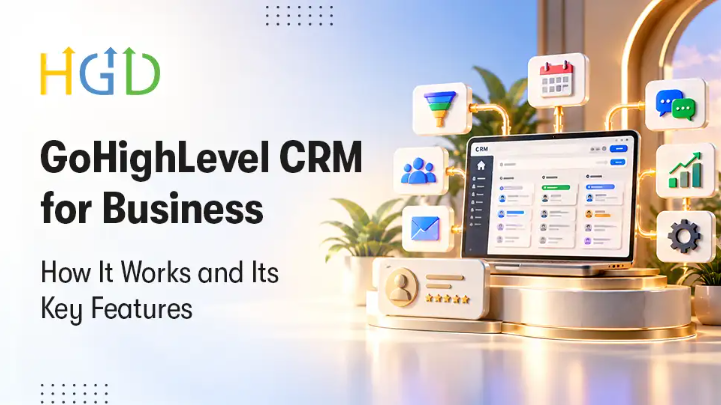
Managing everyday business operations often means paying for multiple software subscriptions. You might use one tool to host landing pages, a second to send marketing emails, a third to track incoming sales leads, and a fourth to book appointments. Keeping these tools connected takes time and creates data gaps. GoHighLevel CRM brings these moving parts into one system so companies can run marketing, sales, and customer support from a single dashboard.
Understanding how the platform functions and what it includes helps business owners determine whether it fits their current workflow.
How GoHighLevel Works for Daily Operations
GoHighLevel operates as an all in one platform built around a central customer database. When a prospective buyer submits a form on your website or responds to an ad, the system creates a contact record. That single profile stores conversations across SMS, email, phone calls, and social direct messages.
Once a contact enters the system, automated actions handle follow ups based on rules you define. You can move leads through visual pipelines that mirror your internal sales process. Team members can see who needs a call, which proposals are open, and what revenue is close to closing. Because the software includes website builders, payment processing, and scheduling tools, your team can manage an entire customer lifecycle without leaving the application.
Core GoHighLevel CRM Features
The software includes several practical tools designed to replace third party applications and reduce software costs.
The visual pipeline manager gives sales teams a clear view of their deals. You can drag and drop opportunities between stages, assign leads to specific reps, and track conversion rates across different marketing channels.
The built in communication hub consolidates messages into one inbox. If a client sends an email and then replies via text message later that day, both messages appear in the same thread. Team members can reply directly using the client preferred channel.
The native page builder allows you to create sales funnels, standard websites, and forms. These pages connect directly to your calendars and contact records. When a prospect books a consultation, the system reserves the time slot on your connected calendar, blocks off the hour, and logs the appointment to the contact card immediately.
Reporting dashboards include marketing metrics, appointment show rates and sales numbers. It enables business leaders to see daily performance without exporting custom spreadsheets. A GoHighLevel Agency can help businesses configure these features to match their sales processes, communication needs, and operational goals.
Scaling Through GoHighLevel CRM Marketing Automation
Manual lead follow up is slow to respond and results in missed opportunities. GoHighLevel CRM marketing automation allows businesses to answer queries within seconds of them being submitted.
The workflow engine carries out repetitive tasks using triggers and actions. If the user fills out a quote request form, the automation can send a confirmation text immediately, wait ten minutes, email a pricing guide, and create a task for a sales rep to call the lead.
These workflows do more than just collect leads. You are able to set up sequences for appointment reminders to reduce no shows, review request campaigns after a job is completed, and re-engagement messages for those contacts that have been inactive. The automation engine is built to handle conditional logic, so leads will go down different paths if they open an email, click a link, or reply to a text.
Planning a GoHighLevel CRM Setup
If you want to move your operations to new software, you need to plan it well. Before migrating your data into GoHighLevel CRM, you will need to clean your existing customer data to properly set it up. Existing custom fields need to be mapped correctly so that contact histories are retained.
The next operational need is to integrate external channels. In this step, you will set up domains for sending email, configure phone numbers with Twilio or native lead connectors and integrate payment gateways like Stripe. By connecting your calendar accounts and social profiles, lead capture points are feeding directly into your central database from day one.
Testing your pipelines and automation triggers before going live prevents broken sequences and ensures your staff feels comfortable navigating the system.
Tailoring the Platform with GoHighLevel CRM Development
The platform is ready to use out of the box, but as businesses grow, they have operational requirements that need custom technical work. The advanced GoHighLevel CRM development enables companies to customize the platform for a particular business model.
GoHighLevel offers an open application programming interface that allows developers to integrate with external databases, specialized enterprise software, and legacy systems. When an invoice is paid you can push data to fulfillment centers or accounting platforms using custom webhooks.
If you have a complex membership portal or specific check out funnels, custom code can change front end elements to match your existing brand guidelines. This technical flexibility means that the software bends to your operations, rather than your team having to bend the way it works. A skilled GoHighLevel developer can build custom integrations, extend platform functionality, and adapt the system to specific business requirements.
When to Use Professional GoHighLevel CRM Services
Configuring workflows, testing API endpoints, and building full sales funnels takes technical time away from running your company. Working with a dedicated provider for GoHighLevel CRM services helps businesses avoid setup errors and launch faster.
A top gohighlevel crm consultant will know how to structure your pipelines, automate communication paths and organize permissions for your team. Skilled specialists bypass the technical trial and error, so your business can use the platform immediately.