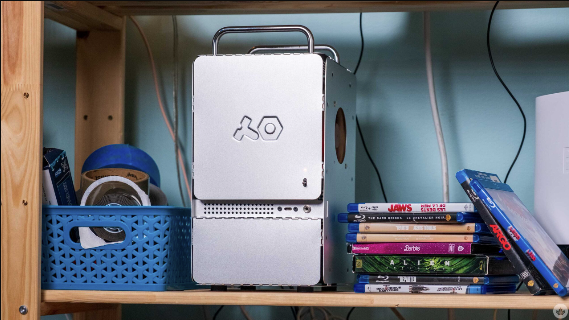
In the age of Ultra HD entertainment, creating a 4K media server has changed. It’s no longer just for enthusiasts. Now, it’s a smart choice for families wanting easy content management and smooth streaming on multiple devices. A well set up home media server turns your digital library into a Netflix like experience. It streams 4K UHD movies, TV shows, home videos and music to any compatible device in your home. This guide outlines the key hardware, software, storage and networking needed to build a professional 4K media server. It can transcode high bitrate content. This ensures great visual quality on devices from smartphones to 85 inch OLED TVs.
Essential Hardware Components for 4K Media Streaming
A good 4K media server starts with the right hardware. You need to balance processing power, storage capacity, energy efficiency and future expandability. Media servers need a lot of computing power. This is important for real time video transcoding. If client devices don’t support HEVC (H.265), VP9 or AV1 codecs, the media server must convert the video formats. These codecs are often used for 4K content.
Processor Selection and Transcoding Performance:
Modern Intel processors with Quick Sync Video and AMD Ryzen CPUs with Radeon graphics provide hardware accelerated transcoding. This is key for smooth 4K streaming. The Intel Core i5 12400 or newer is the minimum for single stream 4K transcoding. For users with multiple streams, the Intel Core i7 13700 or AMD Ryzen 7 7700X is ideal. Dedicated graphics cards like NVIDIA’s GeForce GTX 1650 or AMD’s Radeon RX 6400 greatly boost transcoding speed. However, integrated GPUs work well for home setups that handle 2 3 concurrent 4K streams.
RAM and System Memory Requirements:
Plex Media Server, Jellyfin and Emby recommend at least 8GB DDR4 RAM for basic tasks. However, 16GB is the optimal setup for reliable 4K transcoding and metadata management. Systems with large media libraries over 10,000 titles need 32GB RAM. This helps keep database operations and thumbnail generation responsive. ECC (Error Correcting Code) memory isn’t required for consumer builds. However, it offers extra data protection. This feature is important for long term storage reliability in mission critical applications.
See also: Bluetooth Speakers Buying Guide: Sound Quality, Battery Life, and Portability
Storage Architecture and Capacity Planning:
4K media files take up a lot of space. Feature films usually range from 40GB to 100GB each. This depends on bitrate, runtime and audio setups like Dolby Atmos or DTS:X. A small 4K library with 100 movies and 50 TV seasons may need over 8TB of storage.
NAS devices from brands like Synology, QNAP, Western Digital and TerraMaster provide excellent solutions. They have RAID configurations (RAID 5, RAID 6 or RAID 10) that protect your data against drive failures.
You can also build a custom server for flexible storage. Using enterprise grade hard drives like Western Digital Red Pro, Seagate IronWolf Pro or Toshiba N300 ensures reliability. These drives are made for 24/7 use and can handle workloads over 300TB each year.
Choosing the Right Media Server Software Platform
The software ecosystem for your 4K media server affects user experience, device compatibility, streaming performance and maintenance. Three main platforms stand out as industry standards for home media servers. Each offers unique benefits for various user priorities and skill levels.
Plex Media Server: Premium Features and Ecosystem:
Plex Media Server leads the consumer media server market. It offers sleek apps for many platforms, including:
- iOS
- Android
- Windows
- macOS
- Linux
- Smart TVs (Samsung Tizen, LG webOS android TV, Roku, Fire TV)
- Gaming consoles (PlayStation, Xbox)
- Web browsers.
Jellyfin: Open Source Freedom and Privacy:
Jellyfin represents the completely free, open source alternative prioritizing user privacy and customization flexibility. Jellyfin launched in 2018 as an Emby fork after that platform’s licensing issues. It needs no account, cloud access or subscription fees for all its features. The project focuses on local control and data sovereignty. This appeals to users who care about privacy and don’t like Plex’s online authentication and analytics. Jellyfin’s client apps aren’t as advanced as Plex’s, but the active community helps. They regularly improve the Android, iOS android TV, Tamilrockers, Roku and Fire TV clients. Plus, there’s strong support for web browsers. Hardware transcoding support includes Intel Quick Sync, NVIDIA NVENC, AMD AMF and VideoToolbox on macOS. This tech allows for efficient 4K streaming without significant CPU overhead.
Network Infrastructure and Streaming Optimization
Reliable 4K streaming needs a strong network. It must handle high bandwidth without issues. Congestion, packet loss and latency spikes can lead to buffering or lower playback quality. 4K streaming needs a steady bitrate of 25 Mbps to 100 Mbps. This depends on factors like compression, audio complexity and HDR metadata.
Wired Ethernet vs. Wireless Connectivity:
Gigabit Ethernet (1000BASE T) connections use Cat5e or Cat6 cables. They are the best choice for media servers. These connections provide a steady 1 Gbps speed. This is enough for several 4K streams at once. Plus, you won’t have to worry about wireless interference. Network switches from Netgear, TP Link, Ubiquiti and Cisco offer affordable options. You can choose from 8 port, 16 port or 24 port configurations. These switches support VLAN segmentation for traffic isolation. They also ensure Quality of Service (QoS) prioritization. This means media streams get bandwidth priority over file transfers or software updates.
When client devices need wireless connectivity, Wi Fi 6 (802.11ax) or Wi Fi 6E routers are ideal. Options like the ASUS RT AX88U, Netgear Nighthawk RAX200 and TP Link Archer AX6000 can reach speeds over 1 Gbps on 5 GHz bands. They also handle congestion better thanks to OFDMA technology. Mesh networking systems, such as Eero Pro 6E, Google Nest WiFi Pro and Ubiquiti UniFi Dream Machine, solve dead zones in single router setups. They provide strong signal coverage across larger homes. This means you can enjoy reliable 4K streaming in bedrooms, home theaters and outdoor spaces.
RAID Configuration and Data Protection:
RAID 5 uses three or more drives. It offers good storage efficiency and protects against single drive failures. This setup calculates parity across all drives, allowing for data recovery after a disk fails.
RAID 6 improves on this by guarding against two drive failures at once. However, it reduces usable capacity. It is best for arrays over 8TB, where rebuilding a single drive can lead to a higher risk of a second failure.
RAID 10 or mirrored stripes, gives better read speeds and faster rebuilds compared to RAID levels that use parity. Yet, it needs double the physical drives for the same usable storage.
Plex Remote Access and Relay:
Plex makes remote streaming easy. It uses UPnP (Universal Plug and Play) to set up automatic port forwarding on routers that are compatible. This creates secure, encrypted connections between servers and clients. If direct connections don’t work because of strict firewalls or carrier grade NAT, Plex’s relay infrastructure steps in. Users should set up static port forwarding manually. Use TCP port 32400 for best performance. This step helps avoid relay transcoding. It keeps stream quality high and lowers server load.
VPN Solutions for Privacy and Security:
Self hosted VPN servers like WireGuard, OpenVPN or Tailscale make secure tunnels. They connect remote clients to home networks. This setup keeps media servers safe from direct public internet access. WireGuard uses modern cryptographic protocols and is lightweight. This means it performs better than old OpenVPN setups. It keeps costs down, even when streaming high bandwidth 4K content, like Smiling Friends Free, through VPN tunnels. Tailscale offers zero configuration mesh VPN networking. This is particularly accessible for non technical users who are uncomfortable with manual server configuration and certificate management.
Conclusion: Creating Your Personal 4K Streaming Ecosystem
A capable 4K media server changes home entertainment. It centralizes content management, allows streaming in every room and offers personalized viewing. This rivals platforms like Netflix, Disney+ and HBO Max.